

𝐀𝐝𝐦𝐢𝐧𝐢𝐬𝐭𝐫𝐚𝐭𝐨𝐫𝐬
- Jan
- 40
- 3
𝐃𝐄𝐕𝐄𝐋𝐎𝐏𝐄𝐑 & 𝐀𝐃𝐌𝐈𝐍
𝐅𝐨𝐮𝐧𝐝𝐞𝐫
𝐌𝐞𝐦𝐛𝐞𝐫
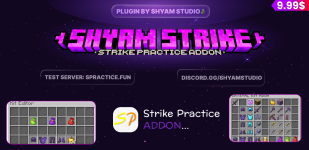
ShyamStrikeCore Official Documentation
The ultimate, most advanced core plugin for StrikePractice servers!
The ultimate, most advanced core plugin for StrikePractice servers!
Overview
ShyamStrikeCore is a highly advanced, fully customizable add-on for StrikePractice designed to exponentially enhance the player experience. It introduces highly interactive GUIs, custom combat mechanics, robust competitive dueling systems, and unprecedented configurability.
Every single feature, menu, and message is fully translatable. Best of all, all configurations update live using the
/ssc reload command, meaning no frustrating server restarts to apply changes!Installation & Setup
Prerequisites
- A server running Paper/Spigot 1.21.x.
- The core StrikePractice plugin installed.
- PlaceholderAPI (Soft-Dependency, recommended for variables).
- A valid BuiltByBit License Key. After purchasing, join our Discord at https://discord.gg/r6XJyfzhdT and open a license ticket to retrieve your key!
Installation Steps
- Download the
ShyamStrikeCore.jarfile. - Place the Jar file into your server's
plugins/folder. - Start the server to generate the default configuration files.
- Open
plugins/ShyamStrikeCore/config.ymland paste your License Key into theLicense: ""field. - Restart your server.
Commands & Permissions
| Command | Permission | Description |
|---|---|---|
/ssc reload | shyamstrikecore.reload | Live reloads all configuration files and GUI menus. No restart required! |
/duel <player> | shyamstrikecore.duel | Opens the custom Duels & Rounds GUI to challenge a player. |
/giveghead <player> <amount> | shyamstrikecore.goldenhead | Gives a specified player custom Golden Head items. |
Additional Feature Permissions:
shyamstrikecore.use- Core permission to access any administrative commands.shyamstrikecore.armortrimmer.use- Grants players the ability to Right-Click their armor in the Kit Room to open the Trimmer GUI.shyamstrikecore.autogg- Allows players to utilize the automatic "GG" feature at the end of matches.shyamstrikecore.totempractice- Grants access to the Totem Practice modules.shyamstrikecore.deathmessages- Allows custom Death Messages logic to apply to the player.
Core Configuration
Your main plugin settings are handled strictly withinconfig.yml and messages.yml.1. Toggling Core Modules (config.yml)
You can freely disable core logic aspects of the plugin if you don't need them.
YAML:
modules:
  totempractice: true
  autogg: true
death_messages: trueYou can define exactly what randomized messages are sent when a match concludes:
YAML:
autogg:
  messages:
    - "GG! Well played."
    - "Good game!"
    - "gg"
Death Message Setup:
Customize every single way a player can die. These broadcast globally inside matches! Unrecorded death types gracefully fallback to the
UNKNOWN variable.
YAML:
death_messages:
  format: "&c%victim% &4was killed by &c%killer% &8[%reason%&8]"
  reasons:
    VOID: "fell into the void"
    ENTITY_ATTACK: "a standard melee attack"
    # ... and many more customized in the file!
2. Translating The Plugin (messages.yml)
Every single chat-based message the plugin executes is highly customizable using MiniMessage and standard color codes inside messages.yml. This handles error blocks, config reload confirmations, and Kit Room interaction warnings!---
The Kit Room System
The Kit Room is the central hub for players to view their kits, edit shulkers, and manage their armor.1. Visual Layout & Setup (menus/kitroom.yml)
Navigate to plugins/ShyamStrikeCore/menus/kitroom.yml to design the base skeleton of the Kit Room menu.- Title & Size: Edit
titleandsize(must be a multiple of 9, max 54). - Armor Slots Setup: Define exactly which slot numbers hold the Helmet, Chestplate, Leggings, and Boots. Armor slots are permanently locked against Left-Clicks to prevent duplication exploits but actively listen for Right-Clicks to execute the Armor Trimmer (if enabled).
- Shulker Editor Toggle: Change
shulker_editor_enabled: truetofalseif you want to completely restrict players from interacting with their Shulker Boxes. - Action Buttons: Map specific slots to trigger other menus (like the Enchantment Table or Kit Editor).
2. Defining Kit Items (menus/kitroom_items.yml)
This massive file controls the actual layout of items presented inside the Kit Room Grid.- You define individual categories (e.g.,
swords,crystals,potions). - Within each category, you assign specific slots and material names for exactly what spawns into the GUI.
---
The Kit Editor Integration
The Kit Editor allows players to re-arrange their actual hotbars before entering a match, fully integrated with DeluxeMenus.1. Configuration (kiteditor.yml)
Navigate to plugins/ShyamStrikeCore/kiteditor.yml- Opening Command: You must define what DeluxeMenus alias is executed upon saving to return the player back to reality. Default is
kiteditor_open_command: "dm open kiteditor". - Armor Trimmer Integration: Set
armor_trimmer_slots_enabled: trueto dynamically inject an active armor trimming row directly into the bottom bar of your Kit Editor layout! This allows for rapid VIP customization. - Functional Buttons: Customize the visual elements for the
save,load,clear, andcloseitems. You can reposition their exactslotnumbers and change theirmaterialtypes.
---
The Armor Trimmer System
Allow your VIPs or competitive players to stand out by visually trimming their armor sets dynamically inside the Kit Room GUI!1. Configuration (menus/armor_trimmer.yml)
Enabling the Feature:To activate the Trimmer, set
enabled: true at the very top of the file!Note: Even when enabled, players MUST have the
shyamstrikecore.armortrimmer.use permission to utilize it! Without it, they will receive a locked lore message.Customizing Patterns & Materials:
You can define exact Vanilla trims and what materials players click to apply them:
YAML:
pattern:
  options:
    # Key = Spigot Pattern, Value = Display Text
    BOLT: "⚡ Bolt"
    COAST: "🌊 Coast"

material:
  options:
    # Key = Spigot Material, Value = The Item Displayed in the GUI
    NETHERITE: "NETHERITE_INGOT"
    REDSTONE: "REDSTONE"
EMERALD: "EMERALD"slot layout for every single option and configure exactly how the "Selected" vs "Unselected" prefixes look.---
The Custom Enchantment Table System
A completely custom, ultra-secure mechanism that allows players to enchant their combat gear dynamically inside the Kit Room GUI!1. Configuration (menus/enchant_table.yml)
The Enchantment Table is extremely robust. It seamlessly translates server identifiers into readable text, parses current enchantments, and prevents illegal PvP stacking.Enchantment Limits & Compatibility:
Inside
tool_enchantments, you define exactly what items can receive what enchants.- Item Restrictions: Use
applies_to: ["SWORD", "AXE"]to ensure Sharpness only goes on weapons, while preventing it from applying to Pickaxes. - Level Limits: Use
max_level:to cap Sharpness at Level 3 for balanced PvP. The GUI will automatically cycle Roman Numerals (I, II, III, None) when left or right-clicked! - Conflict Rules: Use
conflicts_with:to declare mutually exclusive enchantments. For example, if you list"smite"underneath"sharpness", the GUI will forcefully block a player from applying both to the exact same sword!
Mace & Crossbow Integration:
ShyamStrikeCore explicitly supports 1.21.x Mace Combat and Crossbow features!
- You can map Mace Specific capabilities (
density,breach,wind_burst) and configure their mutual exclusives. - You can map Crossbow Specific capabilities (
quick_charge,multishot,piercing), seamlessly enforcing thatmultishotandpiercingcannot be stacked!
---
The Shulker Editor System
An advanced, anti-dupe visual editor allowing players to manipulate the contents of their Shulker Boxes quickly.1. Configuration (menus/shulker_editor.yml)
- Security Logic: ShyamStrikeCore actively scans players swapping items or utilizing Hotbar Number Keys (1-9) to completely nullify duplication glitches!
- Layout Configuration: You can customize the `title`, `size`, and the specific `material` used for the "Filter" panes encompassing the storage layout.
- Translation Handling: Use `edit_lore:` to customize the action text applied gracefully to the Shulker box when handled.
---
The Duels & Rounds System
ShyamStrikeCore completely intercepts standard bare-bones duels to offer a highly robust multi-round competitive experience!1. Intercept Configuration (rounds-config.yml)
Navigate to plugins/ShyamStrikeCore/rounds-config.yml to completely customize how a challenged player sees the popup interface.Main Duels Menu (
kit_menu):Here you define the
title and size of the GUI that pops up when a player executes /duel <player>.Adding Selectable Kits (
kits:):Under the
kits: section, you can add structural nodes mapping to your StrikePractice configurations (e.g., nethpot:, crystal:, nodebuff:). For each kit, you define how it looks in the GUI:
name&lorematerialslot(Where it spawns in the grid layout)
Rounds Customization (
round_settings):Determine how many victories are required to win a match!
- Find the
options:list to insert custom buttons the challenger can click. - Example Default: Create a button utilizing a
DIAMONDmaterial forrounds: 3labeled "Best of 3". Create another utilizing aNETHERITE_INGOTlabeled "Best of 5". You control the flow of the match completely!
Winning Sequence Logic:
Customize exactly what the
win_message, loss_message, and tie_message broadcast globally and privately when a tournament-style match reaches its conclusion!---
Support & Contact
Running into an issue with the menus or need advanced configuration assistance? Reach out to support to report any bugs so we can get them patched immediately! We routinely update ShyamStrikeCore to support the latest Spigot iterations.Visit Shyam Studio